

Master List
A Master List is your organisation’s central roster of people. Think of it as your source of truth — the canonical list of everyone who might need to be photographed or have their data collected.- Each organisation can have multiple Master Lists (e.g. “Students 2026”, “Staff”, “Contractors”)
- Master Lists persist across sessions — create them once, reuse them many times
- People can be added manually, imported from CSV, or synced from a directory like Microsoft Entra ID
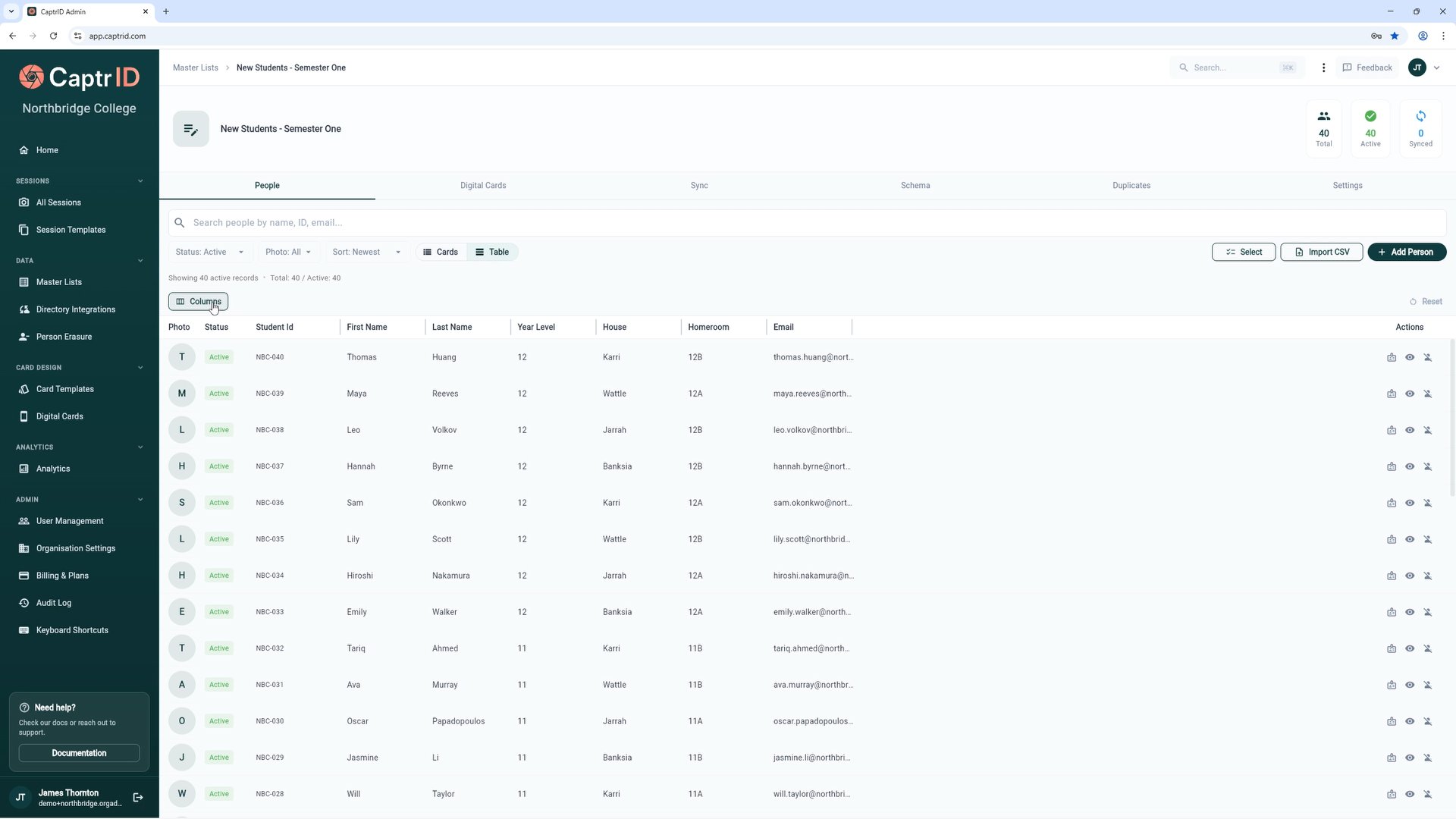
A Master List showing schema fields and people data
Session
A Session is a time-bound capture event. It’s where the actual photo capture (or data collection) happens.- Sessions are created from a Master List snapshot, a CSV import, or from scratch
- When created from a Master List, people are copied into the session — changes in the session don’t affect the Master List until you explicitly sync them back
- Sessions have their own field configuration, capturer assignments, and photo review workflow
- Photo sessions — Capture portrait photos for ID cards, directories, or records
- Data sessions — Collect or update data fields without photos (e.g. verify contact details)
UID (Unique Identifier)
Every Master List and every session has a UID field — a single field that uniquely identifies each person. This is how CaptrID matches people across sessions and syncs data back to your Master List. Good UIDs:- Employee number
- Student ID
- Email address
- Staff code
- Full name (duplicates are common)
- Phone number (changes frequently)
People
A person is an individual record within a Master List or session. Each person has:- A UID value (unique within their list or session)
- Field data (name, department, year level, etc. — whatever fields are defined)
- Optionally, a photo (from submissions in a session, or synced from a directory)
Submission
A submission is a photo (or data snapshot) captured for a person within a session. Each person can have multiple submissions (e.g. multiple photo attempts), but only one can be approved at a time. Submission statuses:Saving to Master List
After a session, you can push approved photos and field updates back to your Master List using Save to Master List. CaptrID generates a summary of proposed changes for you to review before anything is written. This provides:- Conflict detection — If both the session and the Master List changed the same field, CaptrID flags it for review
- Per-field resolution — Choose to keep the session value, the Master List value, or skip the field
- Audit trail — Every change is logged and can be rolled back
- After a photo session, to push approved photos back to your Master List
- After a data collection session, to update contact details or other fields
- Whenever session data needs to become the new “source of truth” in your Master List
Card Templates
A Card Template is a design layout for printing physical ID cards. Templates define:- Card dimensions and background
- Where the photo, name, and other fields appear
- Variables that map to your roster fields (e.g.
{{first_name}},{{student_id}})
Digital Cards (Wallet Passes)
Digital Cards are identity credentials issued to people’s phones via Google Wallet or Apple Wallet. Unlike physical ID cards, digital cards don’t require printing — recipients tap a link to add their ID to their wallet.- Design branded pass templates with your organisation’s colours and logo
- Generate passes for people from a Master List or session
- Distribute via email with a one-tap “Add to Wallet” button
- Verify credentials by scanning the pass’s QR code — no special hardware needed
- Revoke passes instantly when someone leaves your organisation
Self-Service Photo Upload
Self-service upload lets people submit their own ID photo via a secure link — no app, no account required. This is ideal for distributed teams, remote staff, or anyone who can’t attend an on-site photo session.- Send personalised upload links via email
- People take or upload a photo, crop it, and submit — all in their browser
- Submissions arrive in the same approval queue as capturer-submitted photos
- Rejected photos trigger an email notification so the person can retry
Directory Sync
Directory sync connects a Master List to your organisation’s identity provider (e.g. Microsoft Entra ID) to keep your roster automatically up to date.- New starters appear in your Master List when they’re added to the directory
- Leavers are automatically deactivated
- Field changes (department, job title, etc.) are synced on each run
- Supports group-based scoping so you only sync the people you need
Data Sessions
A data session is a session for collecting or verifying data fields — without photos. Use data sessions when you need to:- Collect updated contact details from staff
- Verify information like emergency contacts or dietary requirements
- Gather field data before a photo session