CaptrID logs every significant action in your organisation automatically. Audit logs give you a complete, tamper-proof record of activity — useful for compliance, troubleshooting, and understanding who changed what.

Viewing audit logs

  1. From the sidebar, click Audit Logs (under the Data section)
  2. You’ll see a chronological list of actions, most recent first
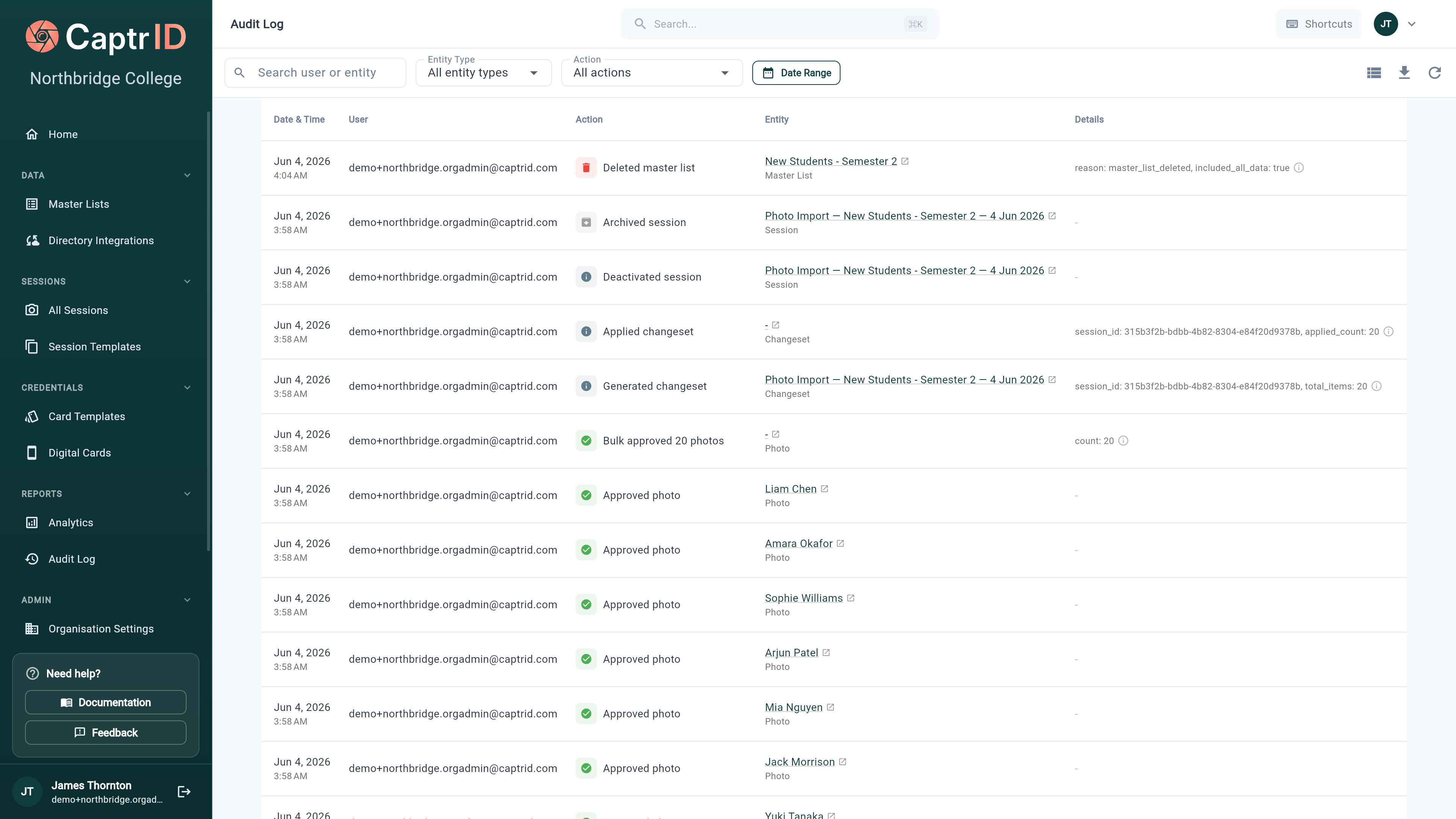
Audit log list showing recent actions including photo approvals, session creation, and changeset events with timestamps
Each log entry shows:
FieldDescription
ActionWhat happened (e.g. “Photo approved”, “Session created”)
EntityWhich record was affected (with a link to it, if it still exists)
UserWho performed the action
Date & timeWhen it happened
DetailsAdditional context (e.g. rejection reason, field values changed)

Filtering and searching

Use the controls at the top to narrow down the log:
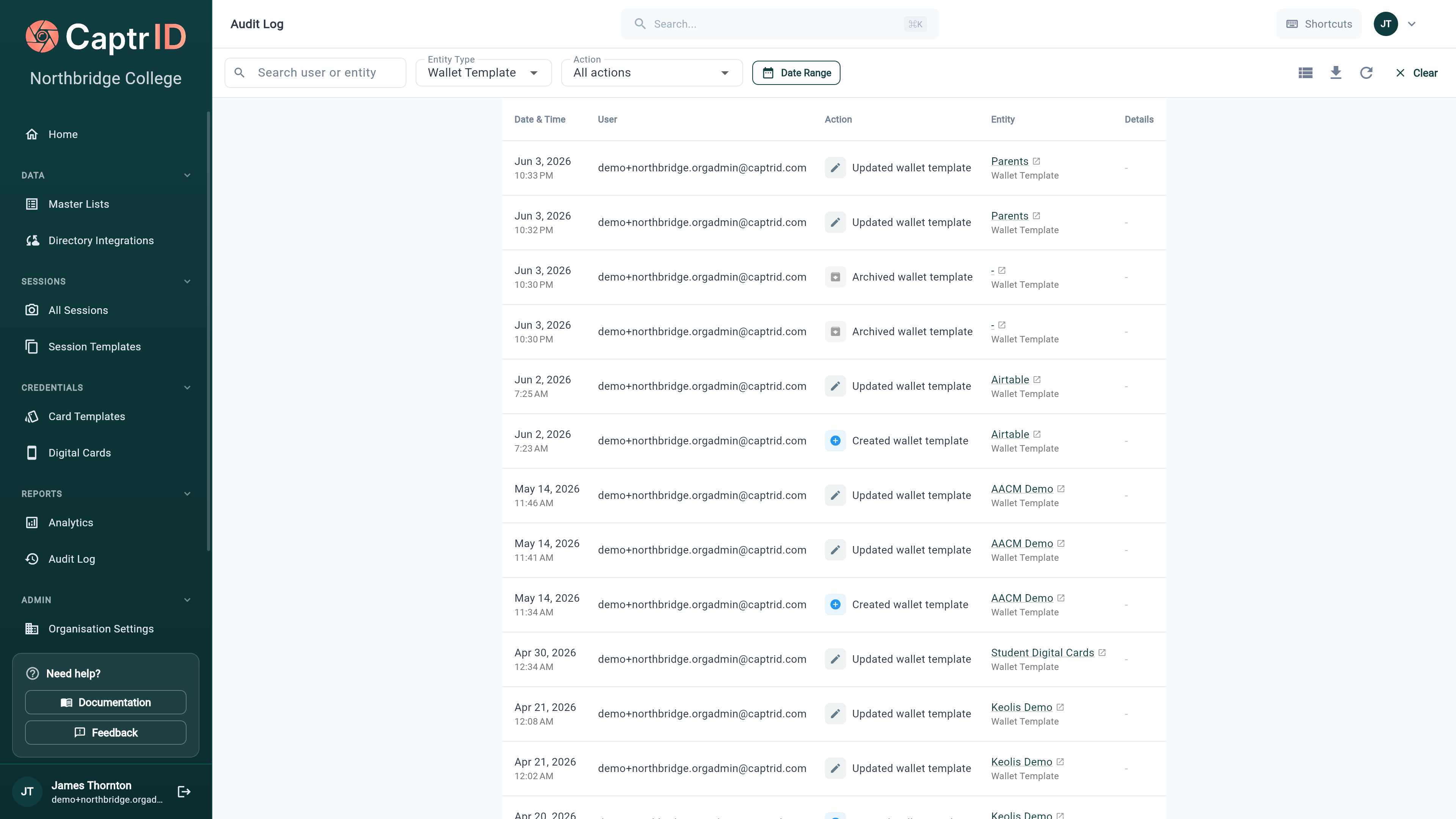
Audit log filter bar with a free-text search box, entity type dropdown set to Wallet Template, action dropdown, and date range selector
FilterOptions
SearchFree-text search across user email and entity name
Entity typeSession, Session Field, Submission/Photo, Master List, Person, Changeset, Card Template, Wallet Template, Wallet Pass, Directory Sync, User, Export, Billing, Organisation
ActionCreated, Updated, Deleted, Archived, Approved, Rejected, Applied, Rolled Back, Deactivated, Reactivated, Erased, and more
Date rangeFrom/to date picker
Filters combine with AND logic — for example, you can search a user’s email and filter to Wallet Template events in the last 7 days.
The entity-type filter is the quickest way to audit one area — set it to Wallet Template to see every pass-template change, or Directory Sync to review configuration changes to a connection.

Common action types

ActionWhen it’s logged
session.createdA new session is created
session.archivedA session is archived
photo.approvedA photo submission is approved
photo.rejectedA photo submission is rejected
changeset.generatedA changeset is generated from a session
changeset.appliedA changeset is applied to a Master List
changeset.rolled_backA changeset is rolled back
person.createdA person is added to a Master List or session
person.deactivated / person.reactivatedA person is soft-deleted or restored
person.erasedA person’s data is permanently erased (GDPR)
master_list.deletedA Master List is deleted (its passes are revoked first)
pass.generatedA wallet pass is created
pass.revokedA wallet pass is revoked
pass.verifiedA wallet pass QR code is scanned for verification
wallet_template.created / .updated / .archivedA wallet pass template changes
directory.configured / .scheduled / .removedA directory connection’s sync config changes
user.createdA team member is added to the organisation
export.started / .completed / .downloadedAn export job moves through its lifecycle
billing.*Plan changes, subscription, and payment events from Stripe
This isn’t the full list — coverage has expanded across billing, provisioning, directory sync, exports, and per-field schema changes. Use the Entity type filter to browse a specific area.

Exporting audit logs

Click Export to CSV to download the filtered log entries as a spreadsheet. This is useful for compliance reporting or sharing with auditors. The export includes all columns: date, user, action, entity type, entity name, and details.
Exports are capped at 10,000 rows. If your filtered result exceeds this, CaptrID warns you and exports the most recent 10,000 — narrow the date range or entity type to capture the rest.

Who can see audit logs

RoleAccess
Organisation AdminFull access to all audit logs
CoordinatorCan view audit logs
CapturerNo access
Audit logs are immutable — they cannot be edited or deleted, even by Organisation Admins. This ensures a trustworthy record for compliance purposes.

What’s next?

Person Erasure

Learn how to permanently erase a person’s data for GDPR compliance (logged in audit trail).

Organisation Settings

Configure data retention, auto-archive, and coordinator permissions.